By Wizora Studio — Updated August 26, 2026
Quick answer: Yes — AI Automation Is Changing Business Operations in 2026. It has moved from pilot projects to a core operating capability: automating end-to-end workflows, reducing manual error, and enabling teams to focus on higher-value work. This article is for business leaders, product managers, and technical teams evaluating or scaling AI automation projects.
Short summary: in 2026, mature large language models, affordable infrastructure, and integration-ready SaaS ecosystems combine to make intelligent automation practical across customer service, data pipelines, marketing, and internal operations. This guide explains what changed, shows a practical end-to-end workflow example, and gives implementation guidance, security considerations, production monitoring tips, and a deployment checklist to help your team move from pilot to production.
What Is AI Automation, and Why Does It Matter Now?
At its core, AI automation pairs machine learning, natural language understanding, computer vision, and orchestration to convert fragmented tasks into managed workflows. Unlike simple rule-based RPA, AI automation adapts to context, pulls knowledge from corporate sources, and can route tasks dynamically—so organizations can automate decisions as well as actions.
Three factors make 2026 a turning point:
- Mature LLMs and agent frameworks that understand complex instructions and interact with tools reliably.
- Lower infrastructure and implementation costs from cloud, edge, and open-source tooling.
- Robust API ecosystems that let AI systems integrate with CRMs, ERPs, ticketing, and communication platforms.
Where AI Automation Is Producing Practical Change
AI automation delivers measurable improvements across four domains:
Customer Service and Support
AI agents now handle multi-turn conversations, retrieve context from knowledge bases using retrieval-augmented generation, and escalate with summarized context. Practical outcomes include faster first responses and fewer manual handoffs when properly governed.
Data Processing and Analytics
Automated document extraction (OCR + NLP), continuous anomaly detection, and automated reporting turn raw records into timely insights. For structured deployments, consider our Document Processing (OCR) and RAG knowledge base services.
Marketing and Lead Generation
From hyper-personalized content to predictive lead scoring and automated A/B testing, AI-driven workflows allow marketing teams to operate continuously and at scale. See our service pages for Lead Generation Automation.
Internal Operations and Workflow Management
AI plus RPA automates onboarding, approvals, compliance checks, and supply-chain routing. These workflows reduce manual bottlenecks and standardize output quality across teams.
Practical workflow example: an end-to-end AI automation use case
Example: an automated "lead-to-contract" workflow for a B2B sales team. This walkthrough shows how components fit together without assuming vendor specifics.
- Trigger: New inbound lead captured via web form or email.
- Enrichment: AI agent queries internal CRM and enrichment APIs, attaches firmographic and behavioral signals to the lead record.
- Scoring & routing: ML model scores lead in real time; high-scoring leads are routed to sales reps, lower-scoring leads enter a nurture sequence.
- Drafting: For routed leads, an LLM drafts a personalized outreach email or proposal using templates and contract clauses from the RAG knowledge base.
- Human-in-the-loop: Sales reviews the draft, edits if needed, and approves sending; edits feed back to improve templates and model prompts.
- Contract automation: Signed agreements trigger automated provisioning, invoice generation via ERP integration, and onboarding workflows.
- Monitoring: The orchestrator logs every step, tracks SLA metrics, and raises alerts for failed automations or potential compliance issues.
This pattern—trigger, enrich, decide, act, human review, log—recurs across support, finance, and operations workflows.
Implementation guidance: architecture, API integration, and human-in-the-loop
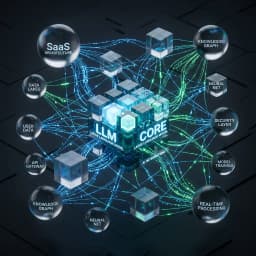
Key architectural components for production-ready AI automation:
- Model layer: LLMs / specialized models for NER, classification, and vision (consider model fine-tuning when domain data is available). See model fine-tuning.
- Knowledge layer: Vector DB + RAG pipelines to ground model outputs against internal documentation and contracts.
- Orchestration layer: Workflow engine or orchestrator that sequences agents, handles retries, and enforces business rules.
- Integration layer: Connectors and APIs to CRM, ERP, ticketing, and email systems. Our AI integrations service covers common adapter patterns.
- Human-in-the-loop: Checkpoints for approval, correction, and escalation. Make approvals explicit and capture corrections to feed model retraining.
- Observability: Centralized logs, metrics, and dashboards to track throughput, accuracy, latency, and cost.
Tools, monitoring, evaluation and audit trails for production deployment
Production-grade deployments must include:
- Structured logging for each automated action and decision, with trace IDs that link back to source data and model inputs.
- Performance metrics: success rate, error rate, latency, cost per transaction, and human override frequency.
- Model evaluation: routine tests against labeled datasets, drift detection, and validation before pushing model updates.
- Audit trails: immutable records of decisions and data access for compliance and incident investigations.
- Fallbacks and SLA policies: graceful degradation paths that route tasks to humans when confidence is low or external systems fail.
Benefits, limitations and real-world trade-offs
Benefits are real—faster responses, lower error rates, and scalable operations—but trade-offs matter:
- Accuracy vs. autonomy: Higher autonomy increases throughput but also risk when models hallucinate or misclassify.
- Data quality: Garbage in, garbage out. Model performance depends on labeled data, consistent schemas, and representative examples.
- Operational complexity: Orchestration, monitoring, and governance add overhead that must be planned up-front.
- Vendor lock-in: Proprietary agents or closed platforms can speed time to value—but complicate future migrations.
Security, data privacy and compliance considerations
Design automation systems with privacy and security by default:
- Encrypt data at rest and in transit; minimize PII exposure to external APIs.
- Implement role-based access controls and least-privilege service accounts.
- Maintain auditable consent records for customer interactions and data usage.
- Segment training and inference data when regulatory regimes require data locality or isolation.
- Use explainability and confidence scores to justify automated decisions when audits require justification.
Costs, deployment checklist and production-readiness
Rather than fixed budgets or timelines (which vary by scope), use this checklist to assess readiness:
- Business case: clear KPIs and success metrics defined (cost savings, time saved, error reduction).
- Data readiness: accessible, labeled data and reliable connectors to source systems.
- Integration plan: API endpoints, webhooks, and fallbacks documented and tested.
- Human-in-the-loop design: approval gates and escalation paths implemented.
- Security & compliance: encryption, access controls, and audit logging configured.
- Monitoring & alerting: dashboards and incident playbooks in place.
- Rollout strategy: pilot, phased rollout, and rollback procedures defined.
- Change management: stakeholder training and internal communication plan established.
Case examples: where AI automation is producing practical change
Across industries, organizations use AI automation to speed onboarding, reduce support backlogs, and automate invoice processing. For concrete examples and outcomes from deployments we've executed, see our project highlights in Wizora Studio work and explore our AI Automation services.
Checklist: is your project production-ready?
- Have you validated the business impact with measurable KPIs?
- Is production access to source systems and APIs secured and stable?
- Do you have human checkpoints and SLAs for customer-facing automations?
- Are logging, monitoring, and rollback mechanisms in place?
- Have you documented data provenance, retention, and privacy controls?
- Can you run A/B or canary tests to validate changes safely?
Technical SEO, accessibility and operational notes
For public-facing automation content and dashboards, confirm server-rendered text for SEO, correct heading hierarchy, and alt text for images. Ensure canonical tags and sitemap entries include production pages for any automation demos or documentation you expose. Also verify that dashboards and logs are accessible with role-based controls and screen-reader friendly where required.
Conclusion and next steps
AI Automation Is Changing Business Operations in 2026 by turning discrete tasks into managed workflows that scale. The right approach is staged: audit, pilot, scale, then optimize. If you want a practical next step, Wizora Studio offers discovery workshops and a free automation audit to evaluate your high-impact processes and recommend a prioritized roadmap.
Explore our AI Automation services, see examples in our work, or contact us to schedule a free automation audit and discuss how to move from experiments to production.
Deep-dive guides and related reading: