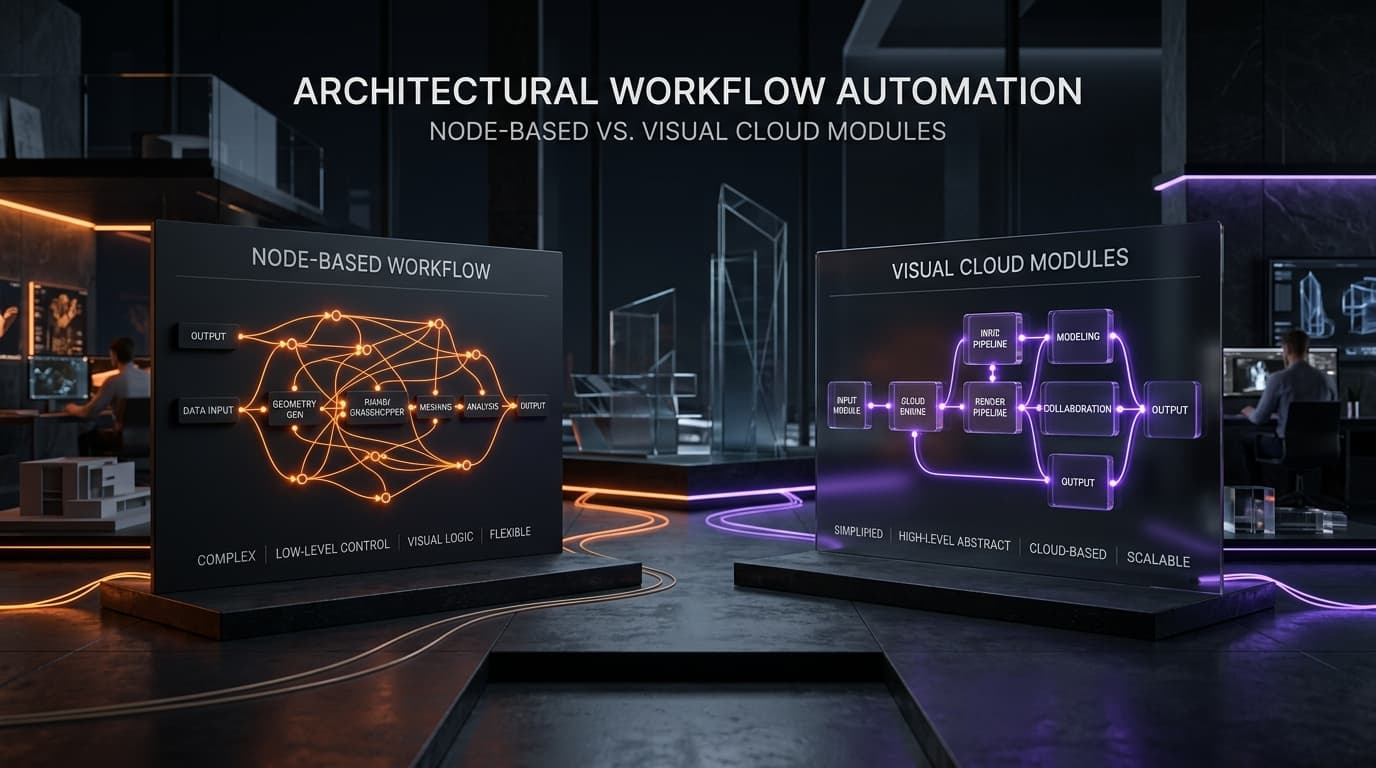
n8n vs Make.com: Who's On Call at 2 AM
Quick answer: If you have an engineering team (or reliable ops retainer) and care about data control or high-complexity, multi-step automations (agents, heavy loops, vector retrieval), n8n self-hosted (or n8n Cloud) is usually the better long-term choice. If you need fast, non-technical delivery, predictable short-term setup, and you prefer vendor-managed uptime, Make.com is the safer on-call bet. This article is for engineering leads, product owners, and agencies deciding which platform to commit to for production automation.
By Wizora Studio · Updated August 26, 2026
How the platforms differ: architecture, hosting, and on-call implications
The practical difference between n8n vs Make.com: Who's On Call at 2 AM comes down to where operational responsibility lands.
- Make is cloud-only: infrastructure, patching, scaling, and most uptime obligations sit with Make. You pay per credit (module call, operations), and the vendor is the first line of defense for outages.
- n8n offers three pathways: self-hosted Community Edition (you own infrastructure), n8n Cloud (managed execution-based pricing), and commercial tiers. Self-hosted moves full operational responsibility to your team; n8n Cloud moves it back to the vendor while preserving execution billing and developer flexibility.
That single shift — who maintains containers, databases, monitoring, backups, and incident response — is what determines if someone is likely to be woken up at 2 AM.
Three things hiding inside one decision
When you hear "n8n vs Make", treat it as three separate choices:
- n8n self-hosted (Community Edition) — strong control, requires ops.
- n8n Cloud — managed hosting, execution billing, developer flexibility.
- Make — fully managed, credit-based billing, fast to start for non-technical teams.
Also note licensing: n8n's Sustainable Use License restricts some forms of commercial re-selling of the software (for example, multi-tenant resell of a single shared instance). Agencies and integrators should check that distinction before building a product on top of a self-hosted instance.
A practical workflow example: lead routing, built both ways
Real example: a real estate lead-routing pipeline with inputs from ads, forms, and chat; deduplication; CRM enrichment; WhatsApp notification; and a daily report.
- Make build: quick visual assembly — webhooks, routers, filters, CRM module, WhatsApp API. Non-developers can maintain it. Cost pattern: billed per module execution. High-volume bursts or loops multiply credits quickly.
- n8n build: takes longer — a code node handles dedupe, Postgres-backed state, optionally Redis queue mode for concurrency. Maintenance requires someone who understands code and DB migrations. Cost pattern: billed per execution (one execution can touch many nodes), which keeps unit cost predictable at scale.
Troubleshooting note: in Make, inspect credit consumption across scenario runs, watch iterator/batch loops. In n8n self-hosted, check queue backlog, database contention, and worker restarts.
Implementation considerations: deployment, monitoring, and support
If you choose self-hosted n8n, plan for:
- Postgres (not SQLite for production), Redis queue mode for concurrency, and persistent volumes for data and attachments.
- Automated backups and tested restore procedures (database dumps and file snapshots).
- Alerting that pages a human: uptime checks, webhook latency/errors, worker queue depth, execution error rate, disk and memory thresholds.
- Version upgrade playbook: test upgrades in staging, read changelogs for breaking node changes, and schedule maintenance windows.
If you choose Make or n8n Cloud, plan for:
- Credit/execution budget monitoring and spend alerts during spikes.
- Runbooks that map vendor incident pages to your business escalation (who to notify internally, SLA expectations).
- Configuration backups (export scenario/workflow definitions where possible) and a documented migration strategy if vendor limits require a move later.
For agent-heavy projects consider hybrid approaches: prototype on a managed platform to validate logic, then move to self-hosted n8n if cost or data-residency needs require it. We build agent pipelines and orchestration for clients — see our AI agents work in AI Agents.
Security, risks, and responsibility: who owns what when things fail
Key responsibility split:
- Make: platform security and uptime are vendor responsibilities; you own connectors' credentials, access control within your team, and business data usage policies.
- n8n self-hosted: you own everything — OS, containers, database, backups, network security, SSL, and monitoring. Misconfigurations often cause silent failures rather than obvious errors.
Risk examples: a self-hosted instance with SQLite and no queue mode will work until concurrent runs cause lock contention and silently drop or throttle executions. A Make scenario with an unnoticed loop can burn credits and throttle workflows mid-campaign. Both are operational risks that require explicit ownership.
Cost, timeline and scaling trade-offs
Pricing mechanics matter more than sticker cost:
- Make bills per module/operation — loops and multi-tool agent runs compound costs quickly.
- n8n bills per execution — a complex multi-node run still counts as one execution, which is favorable for long, multi-step automations.
Rough decision guidance: self-hosting generally becomes cost-effective once monthly managed-platform spend would be several hundred dollars and your team can reliably own ops. For lower volumes and non-technical teams, managed options (Make or n8n Cloud) reduce risk and time-to-value.
Checklist: When to choose n8n (self-hosted) vs Make.com
- Choose n8n self-hosted if: you need full data control, high-complexity agent workflows, unlimited execution ceilings, or your contracts require specific residency controls.
- Choose n8n Cloud if: you want execution-based pricing and developer flexibility without owning infrastructure.
- Choose Make if: you need a fast, low-friction visual builder, you have non-technical maintainers, and monthly volume is moderate and predictable.
Limitations, common pitfalls, and maintenance needs
- Common n8n self-host pitfalls: leaving SQLite in production, skipping queue mode, no monitored backups, blind upgrades without testing.
- Common Make pitfalls: underestimating credit burn from iterators/agents, not budgeting for burst months, assuming every connector behaves identically at scale.
- Migration cost: moving mature setups between platforms is usually a rebuild, not a direct export/import; plan budget accordingly.
Relevant Wizora services and next steps
If you'd rather not guess: we map actual volume and operational capacity against platform economics and build a prototype workflow on both platforms to show true cost and attention demands. Explore our AI automation services, review case work at our projects, or get in touch for an automation assessment.
FAQ: short answers to common questions
- How to use n8n vs Make.com: Who’s On Call at 2 AM? Decide who will own uptime and incident response first. If it's your ops team, self-hosting is viable; if not, use a managed platform.
- How n8n vs Make.com works with agents? n8n currently provides deeper native retrieval and multi-tool agent patterns with execution-based pricing; Make has integrated agent tooling in the visual canvas but can bill each step separately.
- Where the responsibility actually moves? With Make and n8n Cloud it stays with the vendor; with n8n self-hosted it moves to whoever manages your servers and monitoring.
- The real cost, not the sticker price? Include labor, monitoring, backups, and migration effort — self-hosting saves per-execution dollars only when you can sustainably own those operational costs.
- Can we switch later? Yes, but expect migration to be comparable to rebuilding: plan for testing, refactoring, and validation.
The bottom line
Choosing between n8n vs Make.com: Who's On Call at 2 AM isn't primarily a feature race — it's an operational commitment decision. Match the platform to the people who will run it. If you'd like an objective mapping of your current automation volume, a prototype comparison, or help implementing a production-grade n8n or Make deployment, reach out to discuss a tailored assessment.